How to Send an Invoice with a Direct Payment Link
How to Send an Invoice with a Direct Payment Link ! Woman sending invoice via laptop at home office Sending an invoice with a direct payment link means embed…
In this playbook
How to Send an Invoice with a Direct Payment Link

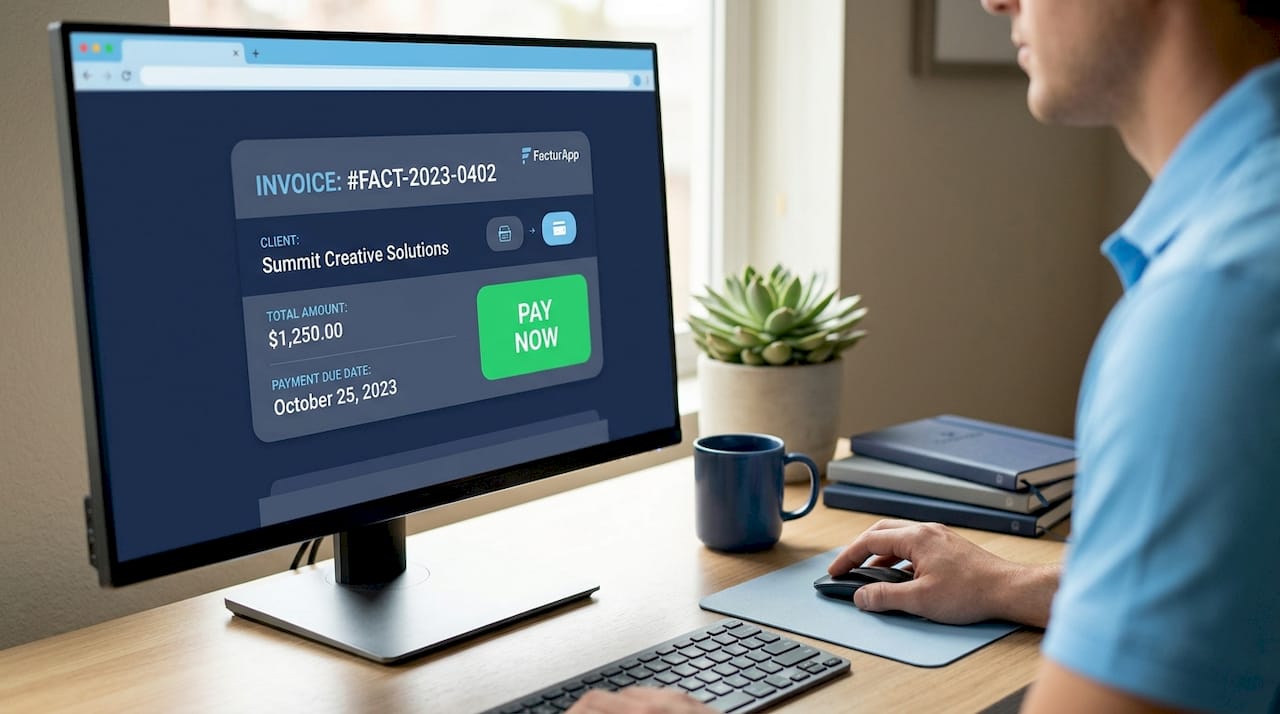
Sending an invoice with a direct payment link means embedding a secure, clickable URL into your billing document so clients pay instantly without logging into a portal or mailing a check. This method, formally called a payment request link or link payment, removes every friction point between your client seeing the invoice and you receiving funds. Platforms like QuickBooks, PayPal, Stripe, and Facturapp all support this approach natively. The payoff is measurable: transitioning from manual bank transfers to direct payment links can reduce days sales outstanding (DSO) by 30% to 50%, meaning you collect in days instead of weeks.
How to send invoice direct payment link: tools that make it possible
Not every invoicing tool handles payment links the same way. Some generate them automatically when you create an invoice. Others require you to build the link manually through a payment processor and paste it in. Knowing the difference saves you time and prevents broken payment experiences for clients.
Most modern accounting platforms like QuickBooks, Xero, and FreshBooks embed unique “Pay Now” buttons directly in invoices, auto-generating the link behind the scenes. Stripe lets you create standalone payment links from its dashboard and paste them anywhere. Facturapp takes a flat-fee approach at $39.99 per year and processes payments through Stripe and Klarna, giving freelancers branded PDF invoices with embedded links without a per-transaction software fee on top of processing costs.
Here is a quick comparison of the most relevant invoice tools with direct payment links:
| Platform | Link generation | Payment methods | Branding control | Notable fee structure |
|---|---|---|---|---|
| QuickBooks | Automatic | Cards, ACH | Limited | Monthly subscription |
| Stripe | Manual or API | Cards, wallets, bank | Full | Per-transaction only |
| PayPal | Automatic | PayPal, cards | Minimal | Per-transaction |
| Facturapp | Automatic | Stripe, Klarna | Full PDF branding | $39.99/year flat |
| Xero | Automatic | Cards, bank | Moderate | Monthly subscription |
One category worth watching is crypto-enabled processors. Some advanced processors now settle merchant transactions instantly in stablecoins like USDC or USDT directly into personal wallets, bypassing traditional banking delays entirely. For freelancers working with international clients, this eliminates currency conversion fees and fund freeze risk. It is still a niche option in 2026, but it is growing fast.
Pro Tip: If you work with clients who pay late repeatedly, choose a platform that supports SMS delivery of payment links. The channel matters more than you might expect.
How do you create and send an invoice with a payment link?
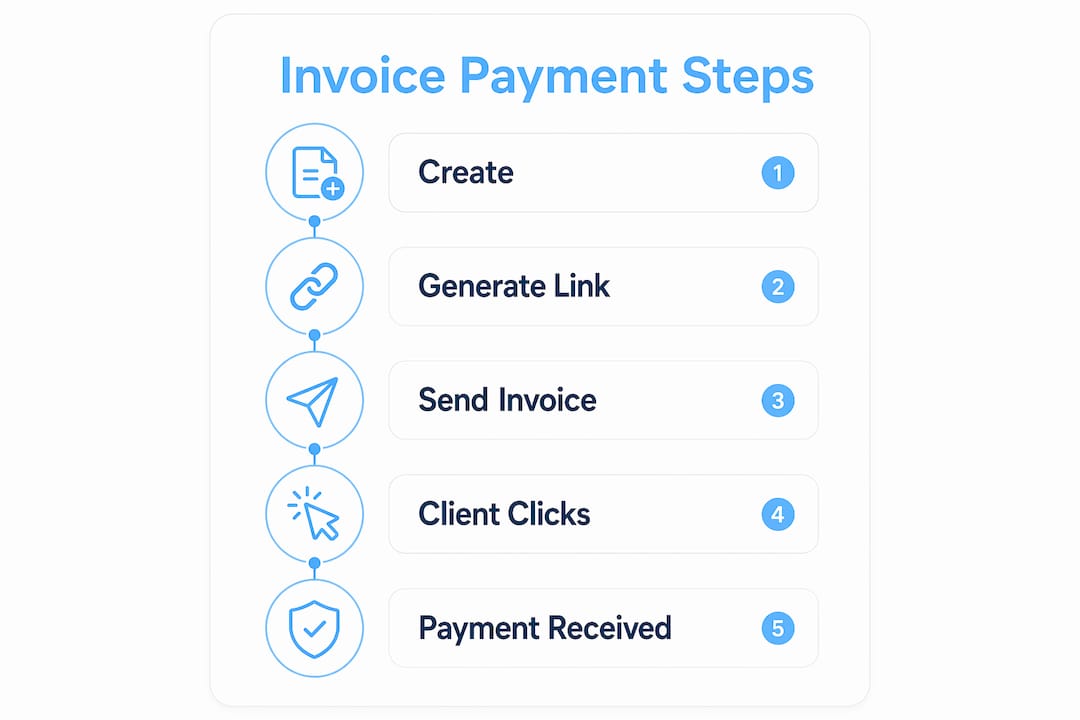
The process breaks down into four clear stages. Follow them in order and you will have a working digital invoice payment in your client’s hands within minutes.
-
Generate the payment link. In platforms like Facturapp, Stripe, or QuickBooks, the link is created automatically when you finalize the invoice. In Stripe’s standalone dashboard, go to “Payment Links,” set your amount and description, and copy the URL. For manual setups, use your processor’s API or dashboard to generate a unique URL tied to the specific invoice amount.
-
Embed the link in your invoice document. For PDF invoices, hyperlink the text “Pay Now” or “Click here to pay” directly to the URL. In email invoices, place a clearly labeled button above the fold so clients see it before scrolling. Avoid burying the link in fine print. Payment links work via a secure URL or QR code, removing the need for a shopping cart or e-commerce setup entirely.
-
Choose your delivery channel. Email is the default, but it is not always the fastest. QR codes printed on invoices let in-person clients scan and pay without typing a URL. SMS is the highest-converting channel for overdue reminders. Social media direct messages work for informal client relationships. Match the channel to the client.
-
Confirm receipt and payment. Set up automatic payment confirmation emails through your platform. In Facturapp and Stripe, you receive a real-time notification the moment a client pays. Embedded payments enable automatic, real-time tracking and reduce the back-office work of manually reconciling who paid what.
A complete sample workflow looks like this: you finish a project, create the invoice in Facturapp, the system generates a Stripe-powered payment link automatically, you email the PDF to the client, and the client completes payment in three taps from invoice receipt to confirmation. No phone calls. No follow-up emails asking if the check is in the mail.
Pro Tip: Always test your payment link before sending it to a client. Open it in an incognito browser window and verify the amount, currency, and destination are correct. A broken link on a $5,000 invoice is an expensive mistake.
What are the real benefits of direct payment links on cash flow?
The financial impact of switching to a direct payment invoice model is not theoretical. The 30% to 50% DSO reduction cited earlier translates directly into fewer cash flow gaps for freelancers who operate on thin margins between project completion and rent day.
Beyond speed, the client experience improves significantly. Customers pay in three taps: click the link, enter card details, confirm. There is no account creation, no portal login, and no check to write. That frictionless experience removes the most common excuse for late payment, which is that paying was inconvenient.
The reconciliation benefit is equally real. Embedded payments handle real-time tracking and unify payment balances in a single dashboard, so you spend zero time cross-referencing bank statements against invoice records. For a freelancer managing 20 to 30 active clients, that alone saves hours per month.
SMS reminders amplify these gains when invoices go overdue. SMS payment reminders convert 3 to 5 times better than email within the first 24 hours. That gap exists because SMS open rates exceed 90%, while business email open rates hover around 20% to 30%. Sending a short text with the payment link attached is the single highest-leverage action you can take on an overdue invoice.
“For freelancers lacking e-commerce platforms, payment links provide an easy, secure way to collect payments via simple URLs shared through multiple channels.”
Security is also stronger than most freelancers realize. Reputable processors like Stripe and Klarna handle PCI compliance, fraud detection, and encryption on their end. You never touch raw card data. The client pays through a certified secure environment, and both parties are protected without any technical setup on your part.
Common mistakes when sending invoices with payment links
Even a well-designed payment link workflow breaks down if you make these errors. Knowing them in advance keeps your billing process clean.
-
Broken or expired links. Some processors generate links that expire after a set period. If a client opens a two-week-old invoice and the link is dead, they will not go looking for a new one. Use permanent links where possible, or set expiration dates that exceed your standard payment terms.
-
Mismatched amounts. Manually created links are prone to typos. A link set to $1,500 on a $15,000 invoice creates a partial payment that is hard to reconcile. Platforms like Facturapp and QuickBooks auto-generate links tied to the exact invoice total, eliminating this risk.
-
Poor link placement. Clients should not have to search for the payment button. Place it in the top third of the email body and again near the invoice total in the PDF. Redundancy here is a feature, not clutter.
-
SMS compliance gaps. Sending payment reminders via SMS requires prior consent in many jurisdictions, including under TCPA rules in the United States. Always get written opt-in before texting clients, and include an opt-out option in every message.
-
No payment confirmation to the client. When a client pays and receives no confirmation, they email you to ask if it went through. Automate a receipt email through your payment processor. Stripe and Klarna both support this natively.
-
Skipping the test send. Before rolling out a new invoice template with an embedded link, send it to yourself. Verify the link opens correctly, the amount is right, and the confirmation flow works end to end.
Pro Tip: If a client reports a payment error, ask them to try a different browser or device before escalating to your processor. Roughly 40% of reported payment failures are browser-side issues, not gateway problems.
Key takeaways
Sending invoices with direct payment links is the single most effective change a freelancer or small business owner can make to accelerate collections and reduce administrative overhead.
| Point | Details |
|---|---|
| DSO reduction is measurable | Direct payment links cut collection time by 30% to 50% compared to manual bank transfers. |
| Tool choice determines automation | Platforms like Facturapp and QuickBooks auto-generate links; Stripe requires manual setup or API work. |
| SMS outperforms email for reminders | SMS payment reminders convert 3 to 5 times better than email within the first 24 hours. |
| Client experience drives payment speed | A three-tap checkout removes the friction that causes most late payments. |
| Compliance is non-negotiable | SMS reminders require prior written consent under U.S. TCPA rules before you send them. |
Why I think most freelancers are still leaving money on the table
I have reviewed hundreds of freelance billing setups over the years, and the pattern is consistent: most people send a PDF invoice attached to an email and then wait. They follow up once, maybe twice, and then write the delay off as “the client being slow.” The real problem is almost never the client. It is the payment process itself.
When you force a client to open an attachment, find your bank details, log into their bank, set up a new payee, and manually enter a reference number, you have created six decision points where they can stop and come back later. They almost never come back later. They forget. A direct payment link collapses those six steps into one.
What surprises me most is how few freelancers use SMS delivery for their payment links. The data on SMS conversion is not subtle. Three to five times better within 24 hours is a dramatic difference, and yet most people default to email because it feels more professional. Professionalism does not pay your rent. Getting paid on time does.
I am also watching the crypto settlement space closely. The idea that a client in Germany can pay a freelancer in Texas and the funds arrive in minutes as USDC, with no wire fees and no three-day bank hold, is genuinely useful. It is not mainstream yet, but the processors supporting it are getting more polished every quarter.
My honest advice: pick one platform that auto-generates payment links, test SMS delivery with your next three overdue invoices, and measure the difference yourself. You will not go back to waiting by the inbox.
— Deniel
Get paid faster with Facturapp
Facturapp is built specifically for freelancers and small business owners who want professional invoicing without the complexity or cost of enterprise software. For a flat $39.99 per year, you get auto-generated direct payment links powered by Stripe and Klarna, branded PDF invoices, partial payment support, and real-time payment tracking. There are no per-feature upgrades and no monthly fees that scale with your revenue. If you are ready to stop chasing payments and start getting paid on time, create your first invoice on Facturapp today and see how fast the process can be.
FAQ
What is a direct payment link in an invoice?
A direct payment link is a secure URL embedded in your invoice that takes the client to a checkout page where they can pay immediately by card or bank transfer. It removes the need for manual bank transfers or payment portals.
How do I generate a payment link for an invoice?
Most invoicing platforms like Facturapp, QuickBooks, and Xero generate payment links automatically when you create an invoice. In Stripe, you create a standalone payment link from the dashboard and embed it manually.
Does sending a payment link via SMS really work better than email?
Yes. SMS reminders with payment links convert 3 to 5 times better than email within the first 24 hours, primarily because SMS open rates far exceed those of business email.
Are payment links secure for clients?
Payment links from processors like Stripe and Klarna are PCI-compliant and encrypted. Clients enter card details directly on the processor’s certified secure page, so neither you nor your invoicing software ever handles raw card data.
Can I use a QR code instead of a clickable link?
Yes. QR codes printed on invoices scan directly to the payment gateway, which is especially useful for in-person clients or printed invoices where a clickable URL is not possible.
Recommended
Related guides
Keep going in the same topic cluster so your billing workflow stays connected end to end.
- Invoice with Payment Link for Small Business: Get Paid FasterLearn how to use invoices with payment links to streamline billing for small businesses and freelancers, reduce delays, and improve cash flow without complex…Read
- How to Share Invoices by WhatsApp Without Looking UnprofessionalSending a small business invoice through WhatsApp, Telegram, or SMS does not have to feel awkward or amateur. Learn what to include in your invoice message,…Read
- How to Collect Deposits for Service Jobs Without Creating Billing ConfusionLearn how contractors and service providers can collect deposits and milestone payments clearly, reduce chasing, and keep client records organized. A practic…Read
- Mastering Invoice Payment Terms: Get Paid Faster as a Freelancer or Small BusinessLearn how to set clear invoice payment terms to protect your cash flow, avoid late payments, and get paid faster. This guide covers common terms, deposits, p…Read
- Branded Invoices for Small Business: Build Trust and Get Paid FasterDiscover how branded invoices for small business enhance professional image, streamline payment terms, and boost cash flow. Learn to create professional PDF…Read
- How to Organize Clients and Services for Invoicing: A Freelancer's Guide to Faster BillingStop wasting hours rebuilding invoices. Learn how to organize clients and services into a clean catalog so you can create and send a professional PDF invoice…Read
Put this into practice with FacturApp
Continue with the product path that matches this guide—or compare plans when you are ready to start.